By Ishan Sachdeva, , a 5 minute read
Custom software or an off-the-shelf app: how to decide
The short version
- If an existing app does the job well enough, keep using it and save your money.
- Custom software pays off when your team loses hours every week to workarounds, spreadsheets and repeated messages.
- Start with a small first version, and make sure the software and the data belong to you.
For most small businesses, an off-the-shelf app is the right place to start, and if it does the job well enough, you should keep using it. Custom software makes sense when your team is losing real time to workarounds, when no existing app fits the way you actually work, or when your customers need something made for them, such as a portal. The best custom projects start small and solve one painful problem first.
When is an off-the-shelf app good enough?
An existing app is good enough more often than people expect. Accounting, payroll, email, scheduling, online payments and simple customer lists are solved problems. Tools like QuickBooks, Square, Google Workspace, Shopify and a shared calendar are used by a great many businesses, they keep improving, and they cost far less than building your own.
If an app covers most of what you need and the gaps are small, adjust how you work and keep it. Paying to rebuild something that already exists is rarely a good use of money. We would rather tell you that on a first call than build something you did not need.
Many problems that feel like they need custom software are really about connecting the tools you already have. If someone is copying information from your booking tool into a spreadsheet and then into your invoicing, an automation between those tools may solve it with far less effort than a new app.
What are the signs that custom software would pay off?
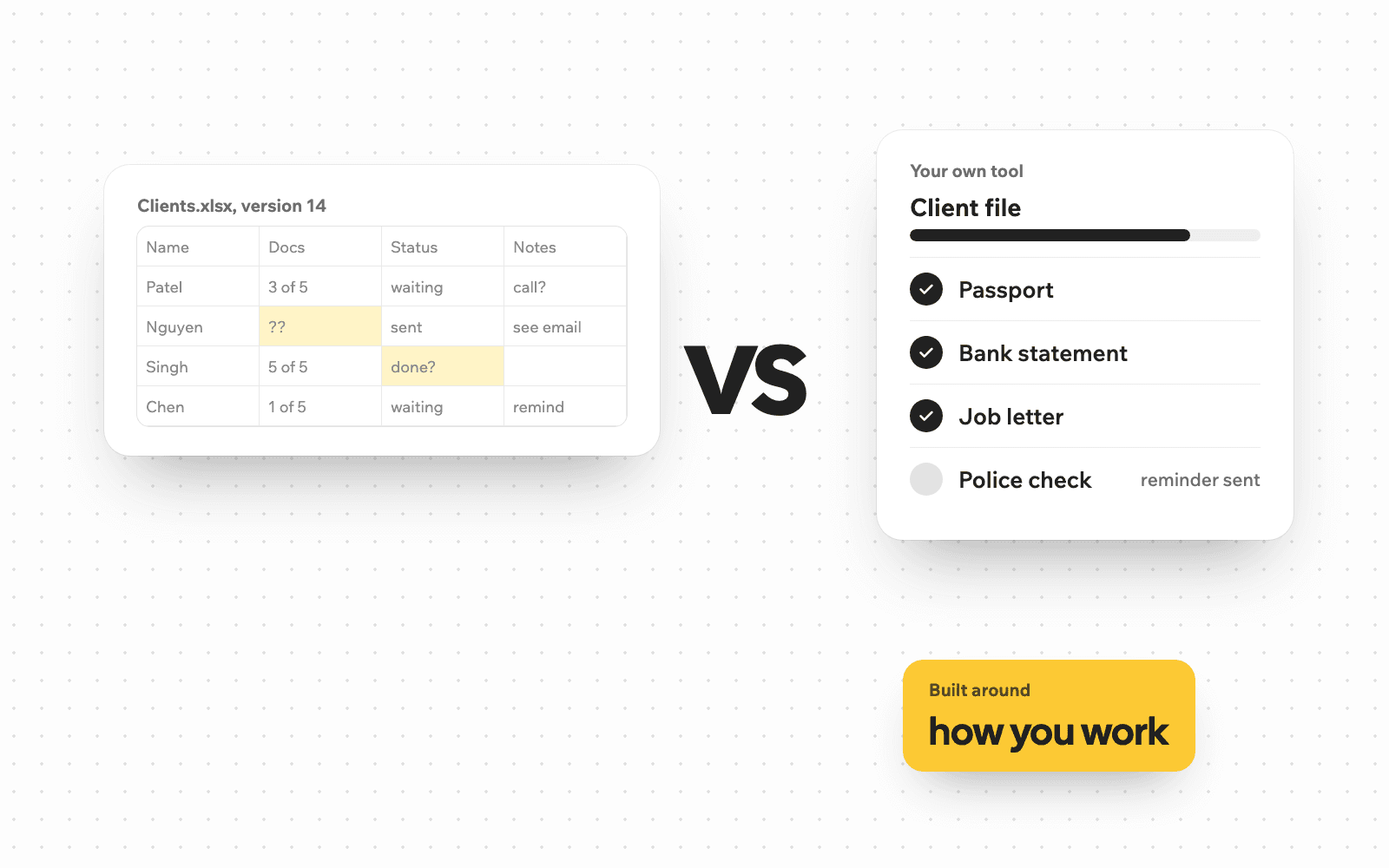
The clearest sign is a workaround that everyone dislikes. It might be a spreadsheet that only one person understands, or a process that lives in a long email thread. It might be staff who type the same information into three places, or customers who keep calling to ask about the status of something you could simply show them.
There are other signs too. You have tried two or three apps and each one fits only half of how you work. You pay for several subscriptions that do not talk to each other. Your way of working is part of what sets you apart, and forcing it into a generic tool would lose that. Or the job is simple but specific, and nothing on the market does exactly that.
A useful test is to add up the hours. If a task takes someone on your team several hours a week, every week, and software could take most of that away, you can weigh the cost of building it against those hours over a year or two. That turns a vague feeling into a business decision.
What kinds of custom software do small businesses build?
Three kinds come up most often.
A customer portal gives your clients a private place to see their information, upload documents, check progress or pay. The document portal we built for immigration consultants is a good example. Clients open a secure link, see exactly which documents are still needed and upload them from their phone, and the portal sends reminders about anything still missing.
A dashboard pulls numbers from the tools you already use onto one screen, so you can see leads, jobs, sales or bookings without opening five apps every morning.
An internal tool replaces a spreadsheet or a paper form with something built around one job, such as quoting, scheduling crews, tracking equipment or checking in clients. Even a small one can make a difference. Our receipt app, for instance, reads a photo of a receipt, files it in Google Drive and adds a row to a spreadsheet, so tax time is not a week of typing.
What should a first version include?
A first version should include less than you think. Its aim is to solve the main problem well enough that people use it every day, and then learn from that use. A good first version usually includes:
- The one job that wastes the most time today, done properly from start to finish.
- Only the people who need it first, such as your office staff or a handful of clients.
- A connection to the one or two tools you already rely on, so nobody types things twice.
- A simple way to get your data out, such as an export to a spreadsheet.
- Sensible security, such as individual logins or expiring links, with each person seeing only what they should.
Everything else, such as extra reports, more types of users or a phone app, can wait until real use shows what matters next. A small first version with a written scope and a fixed price is also much less risky than a large project planned all at once.
Who should own the software and the data?
You should. This is one of the most important questions to ask, and it is easy to skip.
With an off-the-shelf app, your data lives with the company that makes it. That is usually fine, but check that you can export everything, including customers, jobs, invoices and files, in a format you can open elsewhere. If an app makes leaving difficult, that should count against it when you choose.
With custom software, make sure the agreement says the software and the data belong to your business, that the accounts it runs on are in your name and that you could hand it to another developer if you ever needed to. Your customer records are one of the most valuable things your business has. They should never be held by anyone else.
How long does custom software take to build?
It depends on the size of the first version. A focused tool that does one job can often be in use within a few weeks, while a larger system takes longer. Building in small steps, with working software to try every week, lets you change direction early instead of finding out at the end that something was missed.
How do I decide?
Start with the problem, not the solution. Write down the task that wastes the most time or causes the most mistakes. Then check honestly whether an existing app, or a connection between apps you already pay for, would fix it. If the answer is yes, start there. If you have tried and the workarounds keep growing, that is when custom software deserves a serious look.
We build custom software for small businesses across the Lower Mainland, from Coquitlam to Surrey, and we are just as happy to tell you when an existing app will do the job.
Talk it through first
If you are not sure which way to go, book a free 30-minute call. Tell us what slows your team down, and we will tell you honestly whether an existing app will do or whether something custom would pay off. If it is custom, you will get a written plan and a fixed price afterwards. Get in touch here, or call 672-514-1903.
Hexio Labs offers custom software for businesses in Vancouver, Surrey and the rest of the Lower Mainland.